How to test an AI receptionist before you pay
Last updated 2026-11-01 · by Venu Gopal Reddy Muvva, founder
You can test CallAnswerDesk without paying or signing up. Start with the public demo at /demo, or create a free account to test calls with your own business details.
Steps
- Try the public demo. Go to /demo. Press Start voice call or Type instead. This uses a sample dental clinic. No sign-up is needed.
- Start free sign-up. Go to /signup and press Start free. Enter your name, email, and password. Your 3-month free period starts now.
- Set up your template. On the set-up page, pick your business type. Enter your name, hours, and services. Press Create receptionist and test it.
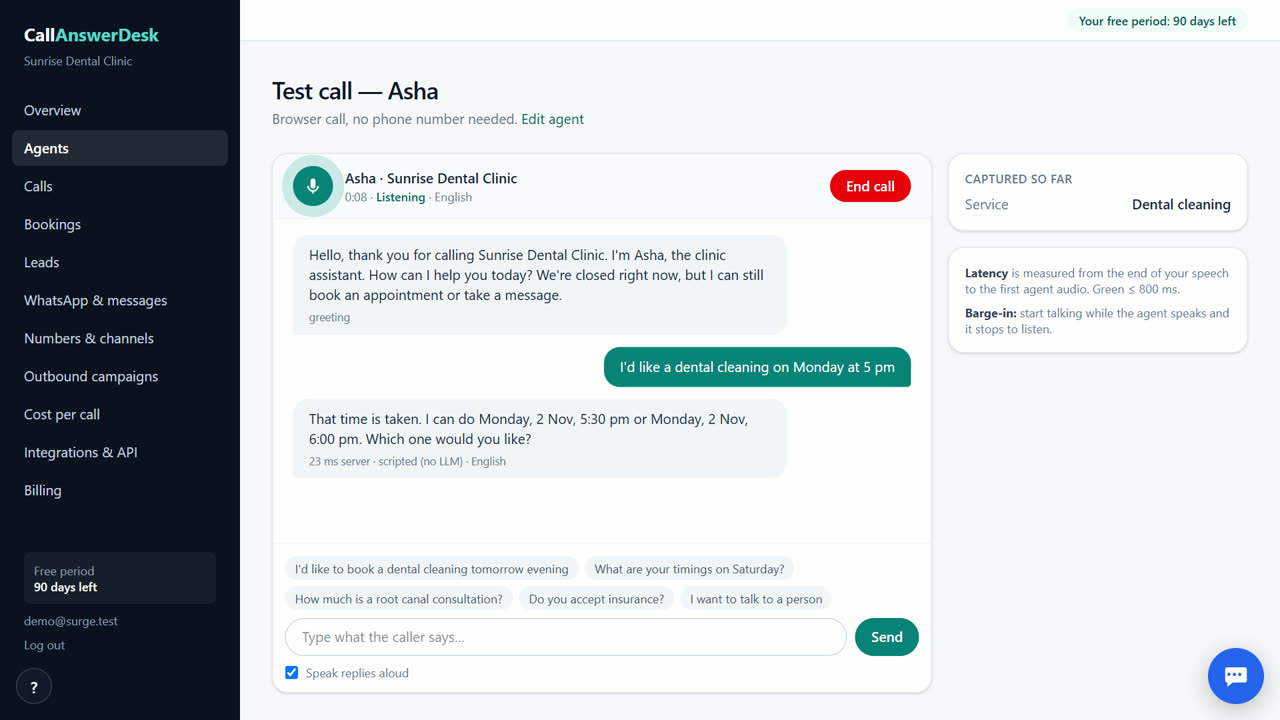
- Run a test call. On the test call page, press Start voice call or Type instead. Ask about prices, book an appointment, or leave a message.
- Check the results. Look at the transcript and summary. Check the booking in the Bookings tab. Verify the email alert arrived.
Use the public demo first
The public demo at /demo lets you talk to an AI receptionist for a sample dental clinic. You do not need an account or a card. Press Start voice call to speak, or Type instead to type your questions. This is a good way to hear how the voice works and see how fast it answers. You can ask about hours, prices, or try to book a slot. The demo is free and needs no account, so you can try it before deciding to sign up. There is a fair-use limit per visitor.
Test with your own business details
After signing up, you create a receptionist using a template for your business type. Enter your real hours, services, and prices. Then go to the test call page. Press Start voice call to use your microphone, or Type instead to type. Test calls are free, during your free period and after it. You should try booking an appointment to see if the calendar works. Ask a question that is not in your knowledge base to see how it handles unknowns. Leave a message to check if the email alert works correctly.
What to check in the test
Look at the transcript after the call ends. Read the AI summary to see if it captured the key points. Check the QA score to see if the conversation was handled well. Look at the lead score to see if the system identified the caller's intent. Verify that the booking appears in the Bookings tab with the correct time. Check your email to confirm you received the alert for the booking or message. If the receptionist makes a mistake, you can edit the knowledge base in the Agents page and test again.
When CallAnswerDesk is not the right tool
CallAnswerDesk is not the right tool if you need real phone calls answered on your own number today. It also does not support WhatsApp replies or live transfer to staff yet. If you need these features immediately, look at alternatives like Goodcall or fonio. CallAnswerDesk is best for businesses that can start with web chat and browser voice calls while waiting for phone number support.
Questions
Do I need a credit card to test it?
No. You can use the public demo without an account. If you sign up, no card is needed for the first 3 months.
Can I test it with my own business information?
Yes. After signing up, you enter your business details on the set-up page. Then you can run test calls with that information.
Is the public demo the same as the real product?
The public demo uses a sample dental clinic. The real product lets you customize the receptionist with your own hours, services, and FAQs.
How much does it cost to test?
Test calls are free, during your free period and after it. The public demo is always free. After the free period, you pay only for what you use.
Related
Free for your first 3 months. Then pay only for what you use.
Start free — 3 months on us