AI receptionist for garages and auto service
Last updated 2026-11-01 · by Venu Gopal Reddy Muvva, founder
CallAnswerDesk helps your garage capture service bookings and pickup requests without missing calls. It answers questions about hours and prices, then books appointments into its own calendar or takes a message with the customer's name and number.
Steps
- Start free sign-up. Go to the signup page and press "Start free — 3 months on us". Enter your name, email, and password. No card is needed.
- Set up with template. On the set-up page, select "Auto service" as your business type. Add your business name, hours, and specific services like oil changes or repairs.
- Test the receptionist. Press "Create receptionist and test it". On the test call page, press "Start voice call" or "Type instead" to practice booking a service slot.
- Add to website. Open "Numbers & channels" to copy the web chat script tag. Paste it into your website so customers can chat with your receptionist.
- Review leads. Check the "Leads" page to see captured pickup requests and estimates. You will also receive an email alert for every new booking or message.
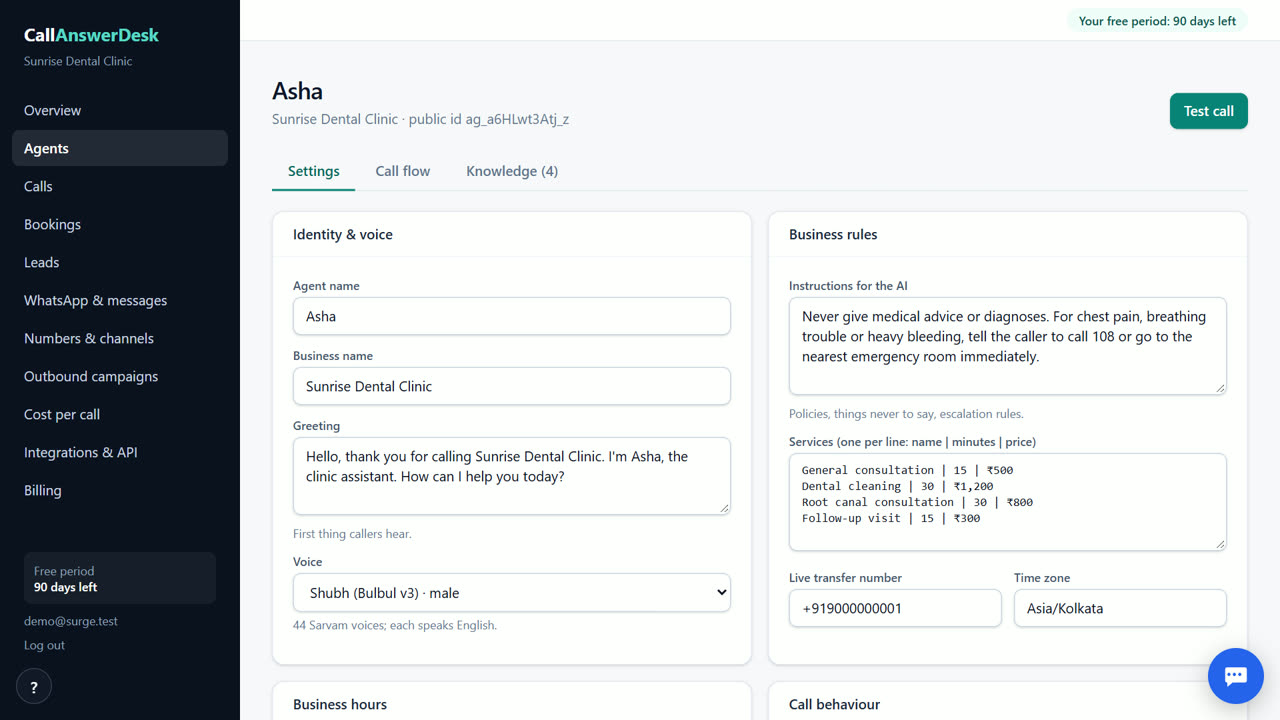
Capture every service request
Garages often miss calls while mechanics are working. CallAnswerDesk answers immediately via web chat on your site. It asks for the customer's name, phone number, and what service they need. If it cannot help, it takes a message. You get an email for every interaction, so no request is lost. This works for oil changes, repairs, or pickup requests. The system records the details so you can follow up later. It is always polite and never forgets to write things down. This helps you manage your workload better.
Book appointments automatically
The receptionist books appointments into its built-in calendar. It checks for conflicts and offers the next free slots. It confirms the booking with the customer before saving it. This reduces double-booking errors. You can see all bookings in the "Bookings" section of your dashboard. The system handles common questions about your hours and prices. It uses the information you provide in the setup. This keeps your schedule organized without extra staff. It works for both new and returning customers.
Test before you launch
You can test the receptionist in your browser for free. Press "Start voice call" to talk to it or "Type instead" to type. Try asking about prices or booking a slot. This helps you check if it answers correctly. You can also use the public demo without an account. The test calls are free. This lets you verify the quality before adding it to your website. It is a safe way to see how it works. You can adjust the greeting and FAQs in the "Agents" page.
Simple pricing model
Your first three months are free. After that, you pay only for what you use at our cost. There is no subscription fee. Today, web chat conversations are free. Phone calls are not available yet, so you will not be charged for them. When phone numbers are added, you will pay per minute at cost. You can top up your balance when needed. There are no hidden fees or markups. This makes it affordable for small auto service businesses. You can see your usage on the "Usage & billing" page.
When CallAnswerDesk is not the right tool
CallAnswerDesk is not right if you need to answer real phone calls on your own number today, as that feature is coming soon. It does not support WhatsApp yet. If you need live transfer to a human staff member or call recording, those are not available. It is also not suitable if you require Indian languages, as it only speaks English today. For immediate phone answering, consider a human service like Smith.ai or a phone-focused AI like Goodcall.
Questions
Can it answer my phone calls right now?
No, answering real phone calls on your own number is not available yet. Today, it works as a chat on your website and as voice calls in the browser. Phone numbers are coming soon.
How do I add it to my garage website?
Go to the "Numbers & channels" page in your dashboard. Copy the web chat script tag and paste it into your website's code. A chat bubble will appear for your visitors.
What happens if it cannot answer a question?
It will ask for the customer's name, phone number, and message. It then takes the message and sends you an email alert with the details. This ensures you do not miss any enquiries.
Is there a monthly fee?
No, there is no monthly subscription. You are free for the first three months. After that, you pay only for what you use at our cost. Web chat is currently free.
Related
Free for your first 3 months. Then pay only for what you use.
Start free — 3 months on us