AI receptionist for restaurants
Last updated 2026-11-01 · by Venu Gopal Reddy Muvva, founder
CallAnswerDesk acts as your AI receptionist for restaurant enquiries. It answers questions about your menu, timings, and party sizes, and books tables into its own calendar. It works as a chat on your website and as voice calls in the browser.
Steps
- Start free sign-up. Go to the signup page and press Start free. Enter your name, email, and password. No card is needed. Your 3-month free period starts immediately.
- Set up your restaurant. On the set-up page, select the Restaurant template. Add your business name, country, opening hours, menu items, and party size limits. You can also add FAQs about your location.
- Test the receptionist. Press Create receptionist and test it. On the test call page, press Start voice call or Type instead. Ask about your hours or book a table to see how it works.
- Add the chat to your website. Open Numbers & channels. Copy the script tag and paste it into your website code. A chat bubble will appear for your visitors to ask questions and book tables.
- Review bookings and leads. Check the Bookings and Leads pages to see new table reservations and enquiries. You will receive an email for every booking and message taken by the AI.
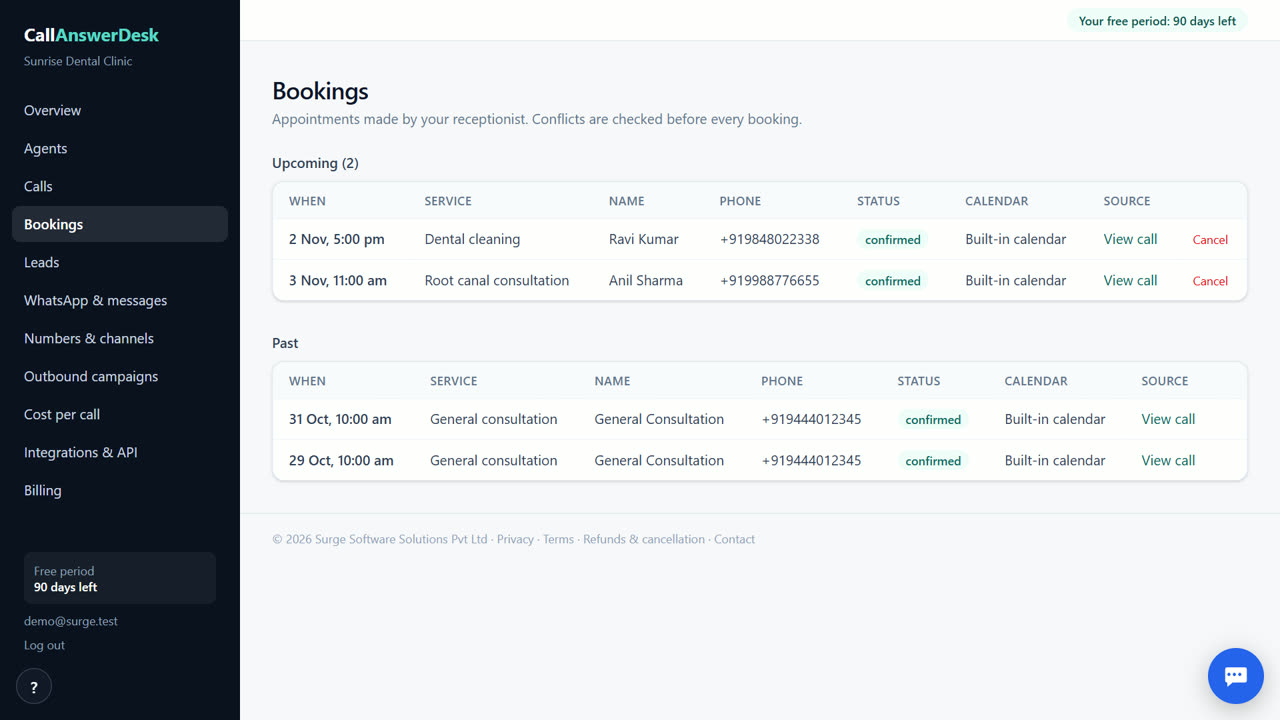
Handle table bookings automatically
The AI receptionist books tables into its built-in calendar. It checks for conflicts and offers the next free slots if your preferred time is taken. It confirms the booking with the customer before saving it. You get an email alert for every new reservation. This helps you manage your floor without missing a single request, even during busy dinner hours or when you are not in the restaurant.
Answer menu and timing questions
Visitors often ask about your menu, prices, and opening hours. The AI answers these questions using the information you provide in the knowledge base. It tells customers your timings and what you serve. If a customer asks about a special party size or dietary needs, the AI takes a message with their name and number. You receive this message by email so you can follow up personally.
Capture every enquiry
Every conversation is saved with a transcript and an AI summary. The system scores each lead as hot, warm, or cold based on their interest. You can export these leads to a CSV file. This ensures you never lose a potential customer who asked about a private event or a large group booking. The data helps you understand what customers ask about most often.
Easy setup with templates
You do not need to build the chat from scratch. Use the Restaurant template to start. It includes ready-made greetings and common questions for food businesses. You can edit the flow to match your specific style. The no-code flow builder lets you adjust how the AI handles different scenarios. You can test the setup in the browser before adding it to your live website.
When CallAnswerDesk is not the right tool
CallAnswerDesk is not the right tool if you need to answer real phone calls on your own number today. It also does not support WhatsApp messages yet. If you need live phone answering or WhatsApp integration immediately, look at competitors like Goodcall or fonio. CallAnswerDesk works as a website chat and browser voice call today. Phone numbers and WhatsApp are coming soon.
Questions
Can it book tables for large parties?
Yes, you can set a maximum party size in your settings. If a customer asks for a larger group, the AI will take their details and send you a message. You can then decide if you can accommodate them.
Does it work in other languages?
Today, the AI receptionist speaks only English. Support for Indian languages like Hindi and Tamil is built but currently switched off. It will be available in a future update.
How do I get notified of new bookings?
You receive an email for every booking and message. You can also turn on a daily summary email in the Integrations section. This summary lists all the conversations and leads from that day.
Is there a cost for the website chat?
The website chat is free. We carry the AI cost for these conversations. After your free period, you only pay for phone calls or WhatsApp messages, which are not available yet.
Related
Free for your first 3 months. Then pay only for what you use.
Start free — 3 months on us